Character Animation
- 06 May 2026
- 6 min read

There are two types of character animation: body animation and facial animation.
Body animation
Body animation is usually done using skeletons. This works in a similar way to wire-frame animation in stop-motion puppetry. A skeleton is built into the body, which can be moved via joints. The trick is to use as few „bones“ as possible, but as many as necessary. For example, it was sufficient to equip each foot with two bones: one for the foot itself and one for the toes.
Now the body shell needs to be connected to the skeleton. To prevent the joints from breaking, there are smooth transitions where the bones meet the shell.
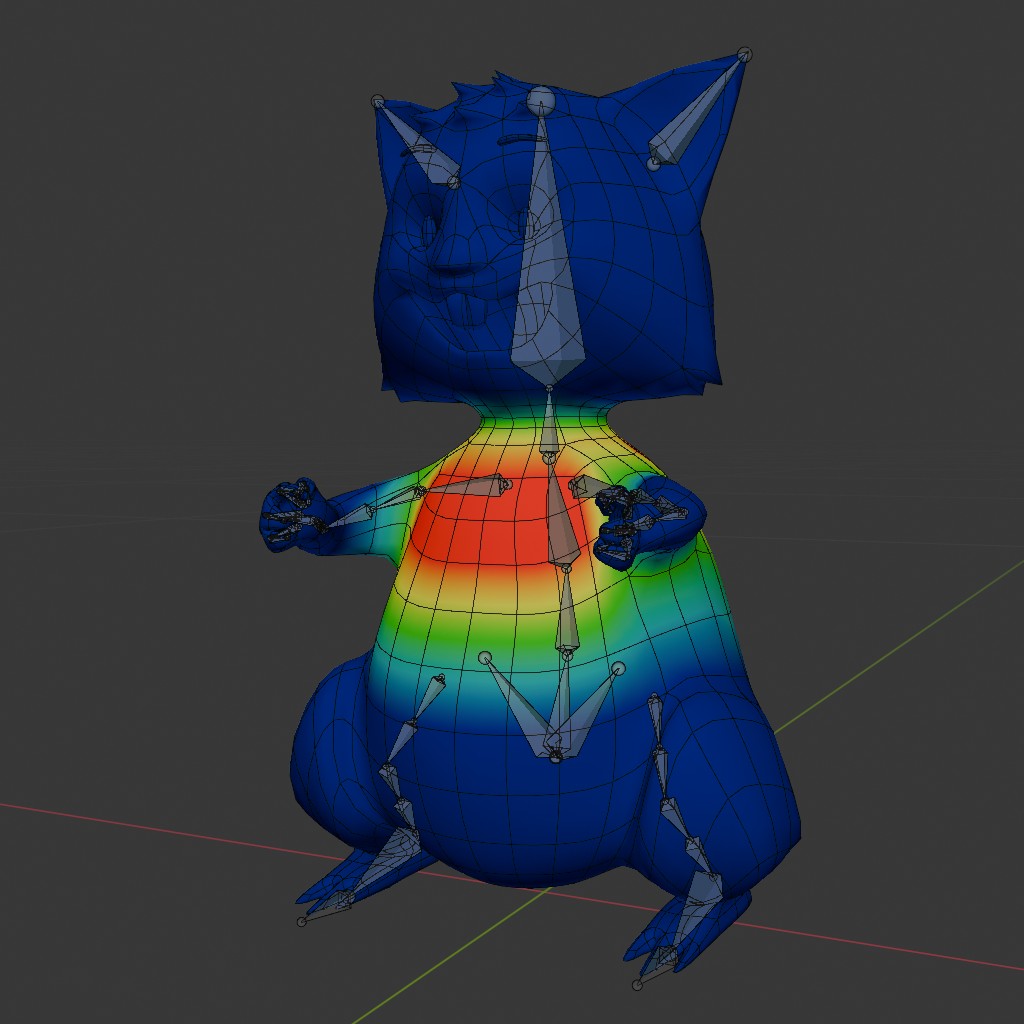
The legs and feet follow „inverse kinematics“, which means they automatically align themselves between the starting point (the hip) and the end point (the sole of the foot). As a result, the animation of the legs is limited to two objects. For the rest of the body, every single bone had to be animated.
As we have continued to refine the character rigs, it is no longer necessary to animate individual bones. Everything is now controlled by controllers similar to the IK controllers for the legs, which greatly simplifies the process.
Key points to keep in mind before we got started
As in traditional animation, you work with keyframes. First, the key movement points are set - a process known as „pose-to-pose“ - and then the animation between them is refined. The computer automatically takes on the role of the inbetweener and interpolates each frame. Another method of animation is the „straight-forward principle“. Here, the animation is built directly from start to finish. Stop-motion animation, for example, uses only this method. The disadvantage compared to „pose-to-pose“ is that timing and end points cannot be adjusted in advance, and you can quickly end up with an incorrect result. Corrections are difficult or even impossible.
Timing was very important to me. For a movement to be effective, it often needs to be exaggerated. Only a combination of slow and fast partial movements comes across as believable. I paid close attention to the sequence of movements: a fall only has its full effect if the character briefly bounces back.
Of course, their movements reflect their personalities. Ralle’s movements are more agile and light, while Bolle seems a bit clumsier and more awkward. I’ve tried to emphasize this in several scenes: when climbing out of the cage or jumping from it. Bolle’s sluggishness causes him to overshoot the mark twice: when rappelling down from the towel and when braking in front of the washing machine.
Hamsters are generally nimble, agile animals with rather jerky movements. Their movement style lies somewhere between that of humans and that of children. Since both are quite small - and small creatures are faster than large ones - their movements had to be quite fast anyway.
Facial animation
I animated the facial expressions to match the body movements. This is done using „morphing“. I modify copies of the original and sculpt them into sad, angry, or smiling faces. Here are the so-called shape keys:
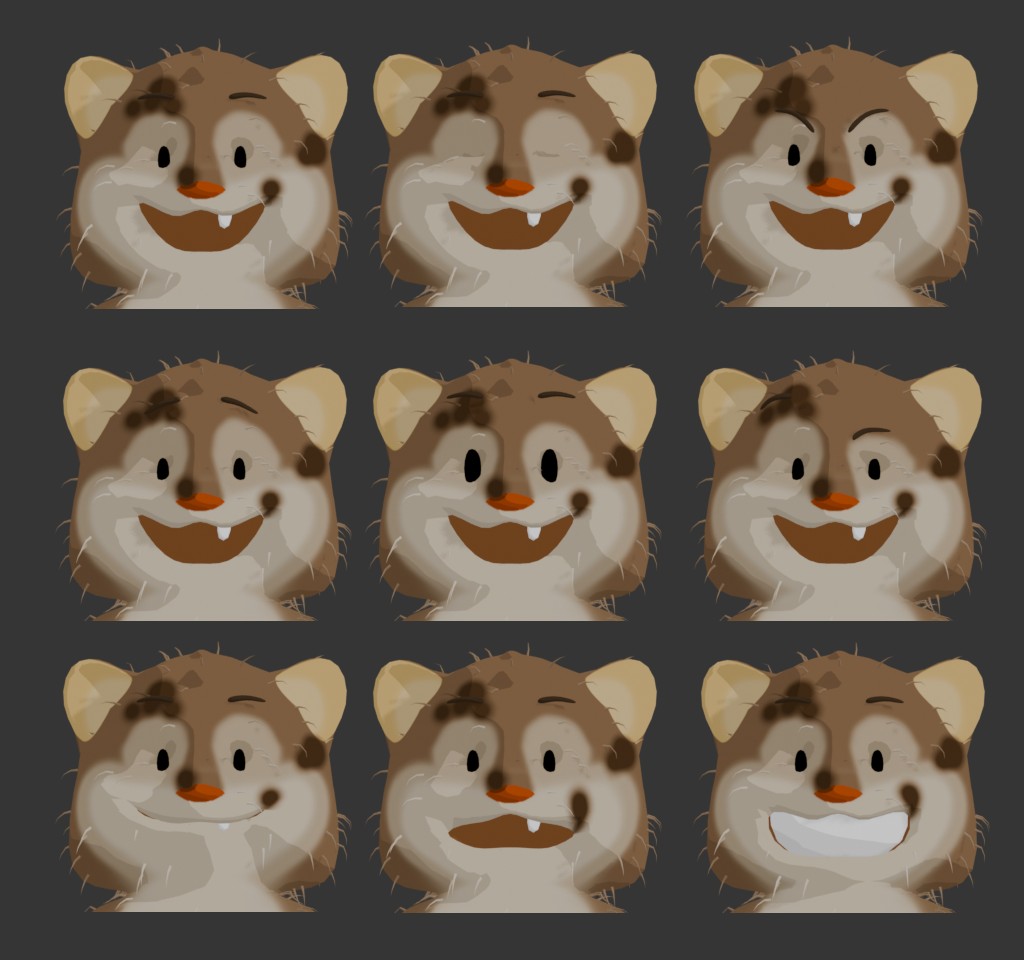
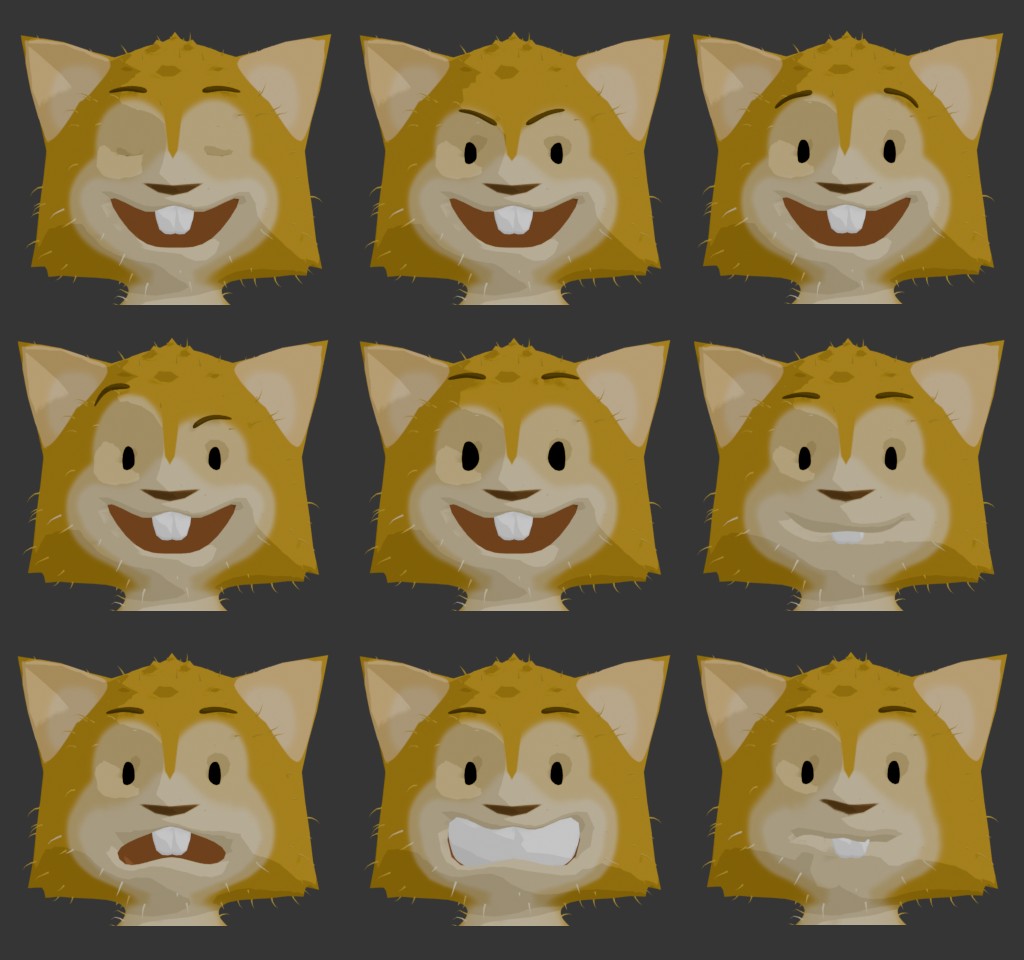
I could now switch back and forth between these facial expressions as if using sliders. Any intermediate state was possible—for example, just a little angry—and multiple emotional states could be combined, such as sad eyes with an angry mouth.
The facial expressions complemented the body language I had already established. I used expressions that were as clear and exaggerated as possible, which meant that the hamster rarely looked „normal“.
Interactive objects
For the interactive environment, I chose not to use any physical calculations. Here, too, I manually animated the deformation based on the hamster’s movements. For example, with the towel, I pulled it tight in one spot and let it billow out further down. By increasing the intensity of this effect, the deformation moves downward with Ralle, achieving the desired result. For the power cable, I linked the path points in some places to the hamster’s hands, and adjusted the rest by hand.
Something I learned early on is that physical phenomena can often be recreated using simple deformations applied by modifiers. Physically accurate simulations are rarely necessary. Especially in cartoons, this approach allows for exaggeration. At the same time, it keeps the complexity of the scene to a minimum.
I didn’t want to overuse camera movement. That would have detracted from the interest in the hamsters’ movements, since everything in the frame is moving anyway. I only incorporated tracking shots at moments that were crucial to the narrative. This made them stand out even more.
